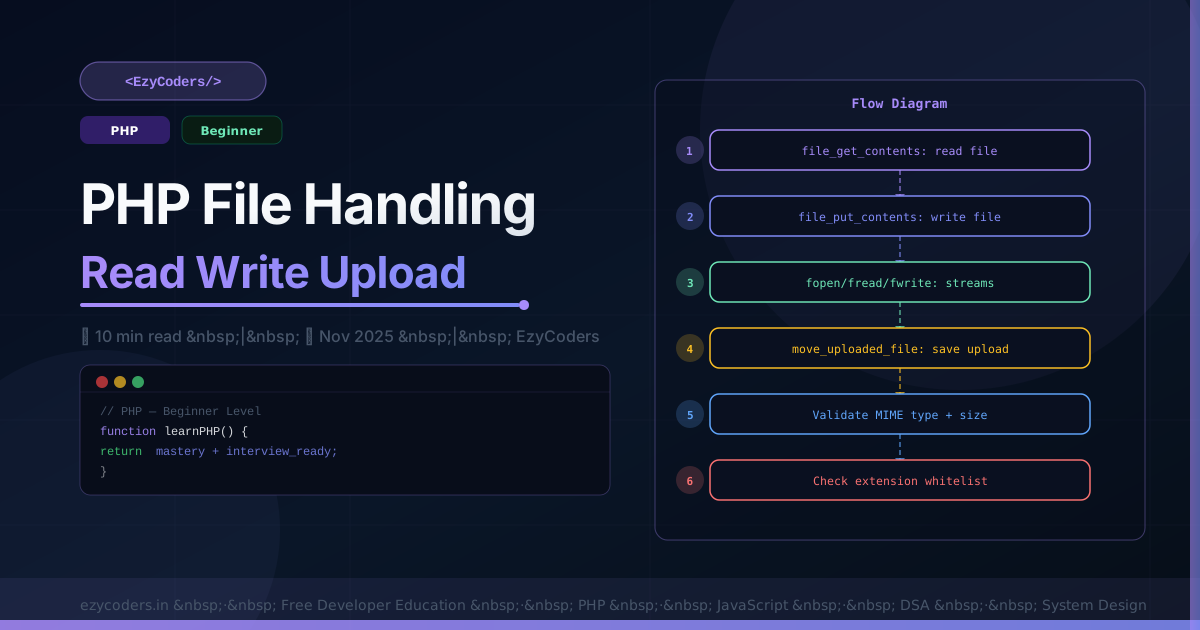
PHP File Handling
File operations are essential for every web application — reading config files, processing uploads, logging, generating reports. PHP has a rich set of built-in functions for file I/O.
Reading Files
<?php
// Read entire file into string
$content = file_get_contents('/var/log/app.log');

// Read file into array of lines
$lines = file('data.txt', FILE_IGNORE_NEW_LINES | FILE_SKIP_EMPTY_LINES);

// Read line by line (memory efficient for large files)
$handle = fopen('huge.csv', 'r');
if ($handle) {
    while (($line = fgets($handle)) !== false) {
        echo trim($line) . "\n";
    }
    fclose($handle);
}

// Read CSV properly
$handle = fopen('users.csv', 'r');
$headers = fgetcsv($handle);
while (($row = fgetcsv($handle)) !== false) {
    $user = array_combine($headers, $row);
    echo $user['name'] . ': ' . $user['email'] . "\n";
}
fclose($handle);
Writing Files
<?php
// Write (overwrites existing)
file_put_contents('output.txt', "Hello World\n");

// Append
file_put_contents('app.log', date('[Y-m-d H:i:s] ') . "Error occurred\n", FILE_APPEND | LOCK_EX);

// Write with fopen (more control)
$handle = fopen('report.csv', 'w');
fputcsv($handle, ['Name', 'Email', 'Score']);  // header
foreach ($users as $u) {
    fputcsv($handle, [$u['name'], $u['email'], $u['score']]);
}
fclose($handle);
File Upload Handling
<?php
function handleUpload(array $file, string $destination): array {
    $maxSize  = 2 * 1024 * 1024;  // 2 MB
    $allowed  = ['image/jpeg', 'image/png', 'image/gif', 'image/webp'];

    // 1. Check upload error
    if ($file['error'] !== UPLOAD_ERR_OK) {
        return ['error' => 'Upload failed: error code ' . $file['error']];
    }

    // 2. Check file size
    if ($file['size'] > $maxSize) {
        return ['error' => 'File too large. Maximum 2 MB.'];
    }

    // 3. Validate MIME type (DO NOT trust $_FILES['type'])
    $finfo    = new finfo(FILEINFO_MIME_TYPE);
    $mimeType = $finfo->file($file['tmp_name']);
    if (!in_array($mimeType, $allowed)) {
        return ['error' => 'Invalid file type. Only JPG, PNG, GIF, WebP allowed.'];
    }

    // 4. Generate safe filename
    $ext      = pathinfo($file['name'], PATHINFO_EXTENSION);
    $filename = bin2hex(random_bytes(16)) . '.' . strtolower($ext);
    $path     = rtrim($destination, '/') . '/' . $filename;

    // 5. Move to permanent location
    if (!move_uploaded_file($file['tmp_name'], $path)) {
        return ['error' => 'Could not save file.'];
    }

    return ['success' => true, 'filename' => $filename, 'path' => $path];
}

// Usage
$result = handleUpload($_FILES['avatar'], '/var/www/uploads/');
if (isset($result['error'])) {
    echo $result['error'];
} else {
    echo 'Saved as: ' . $result['filename'];
}
File System Operations
<?php
// Check and create directories
if (!is_dir('storage/uploads')) {
    mkdir('storage/uploads', 0755, true);  // recursive
}

// File info
$size    = filesize('data.csv');            // bytes
$mtime   = filemtime('config.php');         // last modified timestamp
$exists  = file_exists('cache/key.json');   // bool
$perms   = fileperms('uploads/') & 0777;   // octal permissions

// Copy, rename, delete
copy('original.txt', 'backup.txt');
rename('old_name.txt', 'new_name.txt');
unlink('temp.txt');  // delete file

// Directory listing
$files = glob('uploads/*.{jpg,png,gif}', GLOB_BRACE);
foreach ($files as $file) echo basename($file) . "\n";
Q: Why should you not trust $_FILES['type'] for upload validation?
$_FILES['type'] is the MIME type reported by the browser — it can be spoofed. An attacker can upload a PHP file with type set to image/jpeg. Always detect the real MIME type using PHP's finfo extension which reads the actual file bytes (magic numbers).











Comments (0)
No comments yet. Be the first!
Leave a Comment