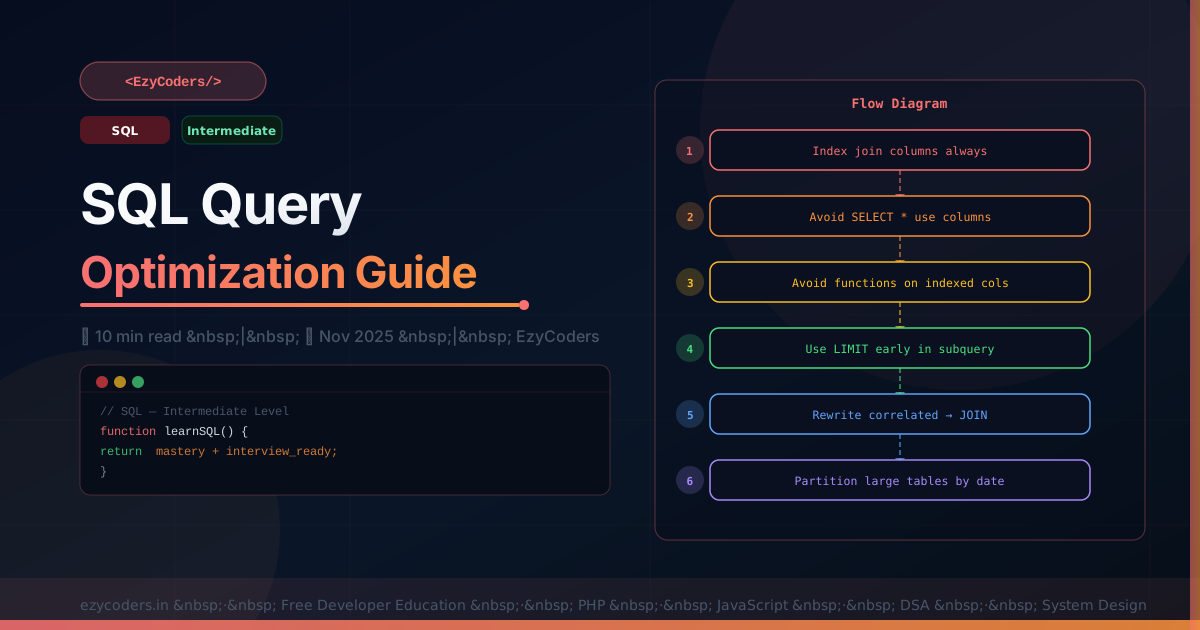
SQL Query Optimization Techniques
Ten targeted techniques that deliver measurable performance improvements. These are the practical fixes applied in production systems — not theoretical advice.
-- 1. Index your WHERE, JOIN, ORDER BY columns
-- Before (ALL scan, 1M rows):
EXPLAIN SELECT * FROM orders WHERE status = 'pending';
-- After:
ALTER TABLE orders ADD INDEX idx_status (status);

-- 2. Composite indexes — order matters (leftmost prefix rule)
-- For queries: WHERE user_id = ? AND created_at > ?
ALTER TABLE orders ADD INDEX idx_user_date (user_id, created_at);

-- 3. Avoid functions on indexed columns (breaks index usage)
-- BAD:
SELECT * FROM users WHERE YEAR(created_at) = 2026;
-- GOOD:
SELECT * FROM users WHERE created_at BETWEEN '2026-01-01' AND '2026-12-31 23:59:59';

-- 4. Use LIMIT early in subqueries
-- BAD: sorts all, then limits
SELECT * FROM posts ORDER BY views DESC LIMIT 10;
-- GOOD: add index on views to avoid filesort
ALTER TABLE posts ADD INDEX idx_views (views);

-- 5. Avoid SELECT *
-- BAD: fetches all columns including large TEXT/BLOB
SELECT * FROM posts WHERE user_id = 1;
-- GOOD:
SELECT id, title, slug, published_at FROM posts WHERE user_id = 1;

-- 6. Use covering indexes for hot queries
ALTER TABLE posts ADD INDEX idx_cover (status, published_at, id, title);
SELECT id, title FROM posts WHERE status = 'published' ORDER BY published_at DESC;
-- Extra: Using index (no table access!)

-- 7. Rewrite NOT IN with NOT EXISTS (safer with NULLs)
-- BAD (fails with NULLs in subquery):
SELECT * FROM users WHERE id NOT IN (SELECT user_id FROM banned);
-- GOOD:
SELECT u.* FROM users u
WHERE NOT EXISTS (SELECT 1 FROM banned b WHERE b.user_id = u.id);

-- 8. Partition large tables
ALTER TABLE logs PARTITION BY RANGE (UNIX_TIMESTAMP(created_at)) (
    PARTITION p2024 VALUES LESS THAN (UNIX_TIMESTAMP('2025-01-01')),
    PARTITION p2025 VALUES LESS THAN (UNIX_TIMESTAMP('2026-01-01')),
    PARTITION p2026 VALUES LESS THAN MAXVALUE
);
-- Queries with WHERE created_at scan only relevant partition!

-- 9. COUNT(*) vs COUNT(column)
-- COUNT(*) counts all rows (fastest, uses index)
-- COUNT(col) counts non-NULL values (slightly slower)
SELECT COUNT(*) FROM posts WHERE status = 'published';  -- fast

-- 10. Use EXPLAIN before deploying any new query
EXPLAIN SELECT p.*, u.name FROM posts p JOIN users u ON u.id = p.user_id
WHERE p.category_id = 3 ORDER BY p.views DESC LIMIT 20;
-- Check: type != ALL, key is not NULL, rows is reasonable
Q: When is an index harmful?
On write-heavy tables: every INSERT/UPDATE/DELETE must also update all indexes — too many indexes slow writes more than they help reads. On low-cardinality columns: an index on a boolean or status column with 2-3 values often makes MySQL choose a full scan anyway. Rule: only add indexes for actual slow queries measured with EXPLAIN.











Comments (0)
No comments yet. Be the first!
Leave a Comment