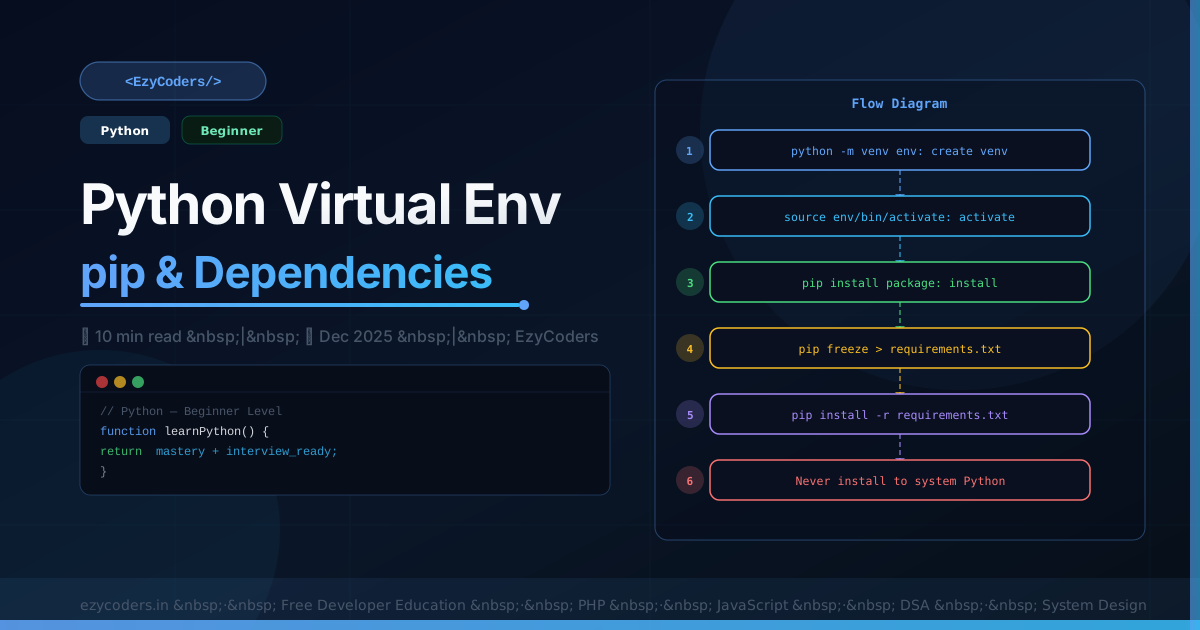
Python Virtual Environments
Virtual environments isolate project dependencies. Without them, packages from one project conflict with another. Every professional Python project uses virtual environments.
python3 -m venv .venv            # create virtual environment
source .venv/bin/activate         # activate (Linux/macOS)
.venv\Scripts\activate          # activate (Windows)

pip install flask sqlalchemy      # installs to .venv, not system Python
pip freeze > requirements.txt     # save all versions
pip install -r requirements.txt   # restore dependencies

deactivate                        # exit virtual environment
Modern: Poetry
# pyproject.toml
[tool.poetry.dependencies]
python  = "^3.11"
flask   = "^3.0"
redis   = "^5.0"

[tool.poetry.group.dev.dependencies]
pytest = "^7.0"
black  = "^23.0"
poetry install # install all deps
poetry add flask # add dependency
poetry shell # activate environment
poetry run pytest # run in env without activatingBest Practices
echo ".venv/" >> .gitignore        # never commit venv
echo "__pycache__/" >> .gitignore

which python3                      # verify you're using venv python
# Should show: /path/to/project/.venv/bin/python3
Q: Why never sudo pip install?
sudo pip installs to the system Python — the one your OS uses for its own tools. Upgrading packages there can break system tools that depend on specific versions. Always use a virtual environment for clean, isolated project dependencies.











Comments (0)
No comments yet. Be the first!
Leave a Comment