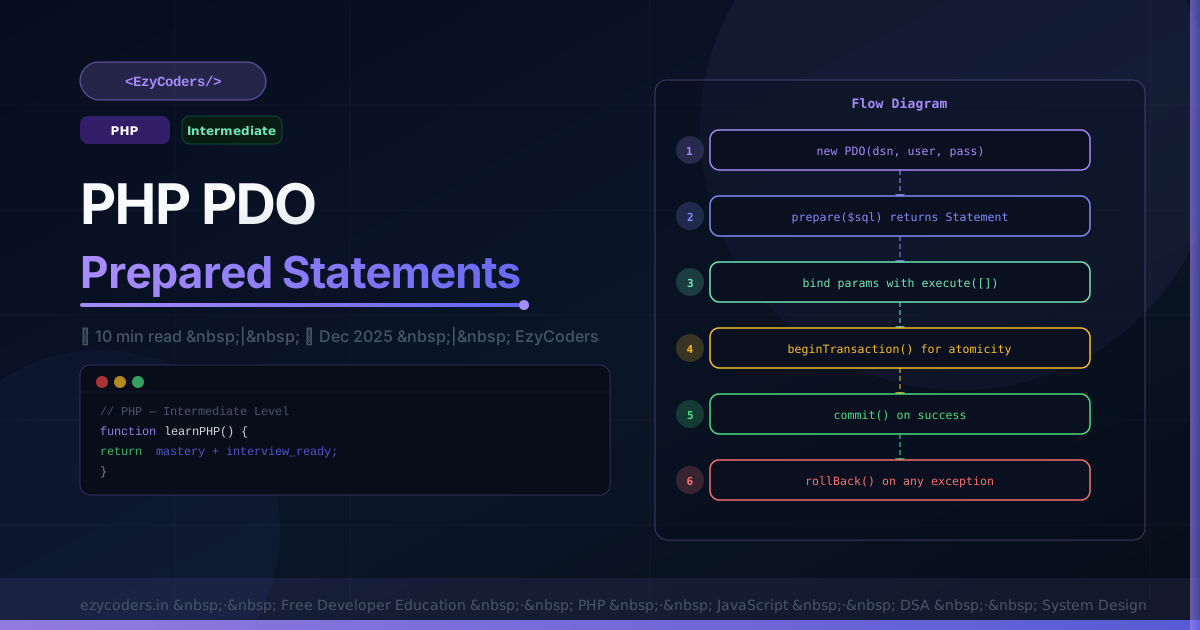
PHP PDO — The Right Way to Use Databases
PDO (PHP Data Objects) provides a consistent database abstraction layer that works with MySQL, PostgreSQL, SQLite and more. Every PHP developer must know how to use prepared statements and transactions correctly.
<?php
// Connecting to MySQL
$pdo = new PDO(
    'mysql:host=localhost;dbname=ezycoders;charset=utf8mb4',
    'db_user',
    'db_pass',
    [
        PDO::ATTR_ERRMODE            => PDO::ERRMODE_EXCEPTION,   // throw on error
        PDO::ATTR_DEFAULT_FETCH_MODE => PDO::FETCH_ASSOC,         // return arrays
        PDO::ATTR_EMULATE_PREPARES   => false,                    // real prepared stmts
    ]
);
Prepared Statements
<?php
// Positional parameters
$stmt = $pdo->prepare('SELECT * FROM users WHERE email = ? AND active = ?');
$stmt->execute([$email, 1]);
$user = $stmt->fetch();

// Named parameters
$stmt = $pdo->prepare('SELECT * FROM users WHERE role = :role AND created_at > :since');
$stmt->execute(['role' => 'admin', 'since' => '2026-01-01']);
$admins = $stmt->fetchAll();

// Insert and get new ID
$stmt = $pdo->prepare('INSERT INTO posts (title, content, user_id) VALUES (?,?,?)');
$stmt->execute([$title, $content, $userId]);
$newId = (int) $pdo->lastInsertId();

// Update with row count check
$stmt = $pdo->prepare('UPDATE users SET name = ? WHERE id = ?');
$stmt->execute([$name, $id]);
if ($stmt->rowCount() === 0) throw new NotFoundException('User not found');
Transactions
<?php
function transferMoney(PDO $pdo, int $fromId, int $toId, float $amount): void {
    $pdo->beginTransaction();
    try {
        $stmt = $pdo->prepare('UPDATE accounts SET balance = balance - ? WHERE id = ? AND balance >= ?');
        $stmt->execute([$amount, $fromId, $amount]);
        if ($stmt->rowCount() === 0) {
            throw new RuntimeException('Insufficient balance');
        }

        $pdo->prepare('UPDATE accounts SET balance = balance + ? WHERE id = ?')
            ->execute([$amount, $toId]);

        $pdo->prepare('INSERT INTO transactions (from_id, to_id, amount) VALUES (?,?,?)')
            ->execute([$fromId, $toId, $amount]);

        $pdo->commit();
    } catch (\Throwable $e) {
        $pdo->rollBack();
        throw $e;
    }
}

try {
    transferMoney($pdo, 1, 2, 5000.00);
    echo "Transfer complete!";
} catch (RuntimeException $e) {
    echo "Transfer failed: " . $e->getMessage();
}
Q: What does PDO::ATTR_EMULATE_PREPARES => false do?
By default, PDO emulates prepared statements by interpolating parameters client-side. Setting this to false tells PDO to use true prepared statements on the database server. True prepared statements are slightly more secure and fix edge cases where type coercion behaves unexpectedly with the emulated mode.











Comments (0)
No comments yet. Be the first!
Leave a Comment